


 MMORPGs, Free MMORPG, WoW Repacks & WoW Guides.


 Likes: 0
Results 1 to 1 of 1
Thread: [Share/Guide] JDownloader
-
23-11-10, 06:51 AM #1Premium




- Join Date
- Aug 2010
- Location
- USA
- Posts
- 94
- Post Thanks / Like

- Rep Power
- 17
- Reputation
- 89
[Share/Guide] JDownloader
Register to remove this ad
jDownloader is a program that lets you download a lot of files without having to go out on the internet.
For example a game uploaded to Rapidshare if the game is in 10 parts, then you would have to go out on the internet 10 times every 15 minut's.
Just to click on download but jDownloader does that for you. It does the waiting 15 minut's and then you get a ticket 50 sec and then the file starts downloading and then the program wait's 15 minut's for the next part, it's very nice.
You can download the program from here

http://jdownloader.org/download/index
Then click on the operating system you have installed click on download server 1, and you will be redirected to bluehost.
Then you have to wait 20 seconds before you can download.
If you for some reason can't download the program from bluehost I have uploaded the program Windows verision to

Rapidshare
Code:http://rapidshare.com/files/223275325/JDownloader_0.4.936.zip
Mediafire
Code:http://www.mediafire.com/?0919lzy96cp5g2n
Megaupload
After that make a folder Called jDownloader or whatever you want and place this file JDownloader_0.4.936 in the folder estract it.Code:http://www.megaupload.com/?d=RD2KSKRV
Then click on jDownloader Choose language then choose where the files you download will be saved don't worry you can change that every time you download something and make a folder for it
Then there will be updates click on the green arrow to start downloading the updates, then restart and install. And there might be some more updates install those. There might be some updates that might fail but nothing to worry about.
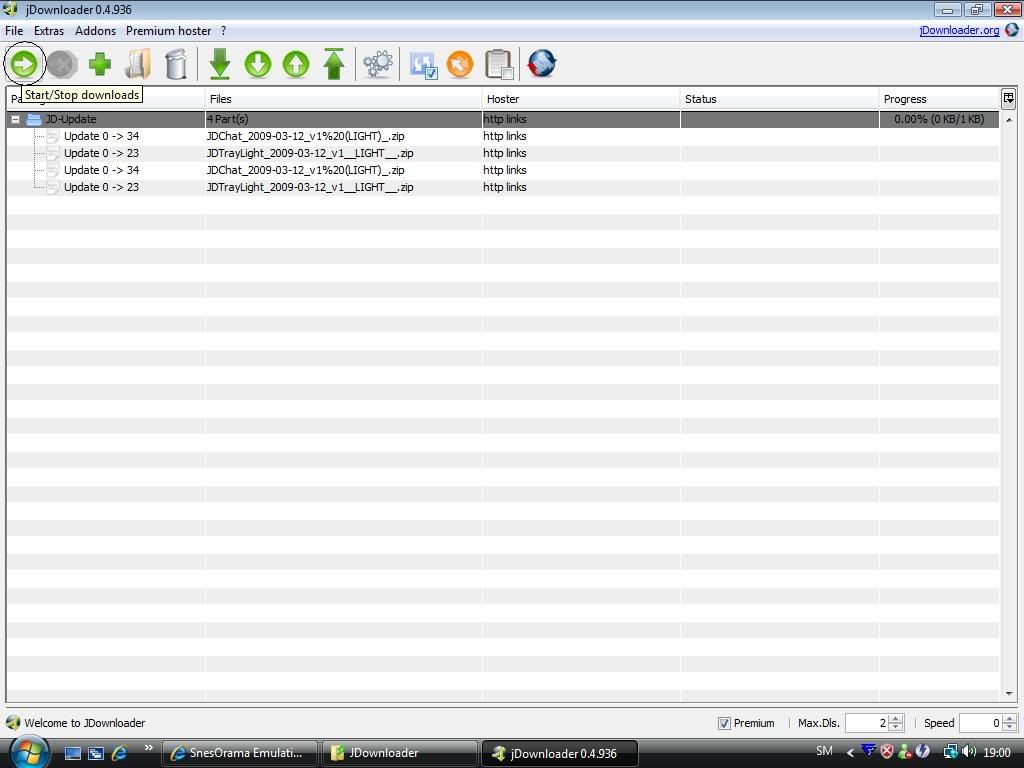
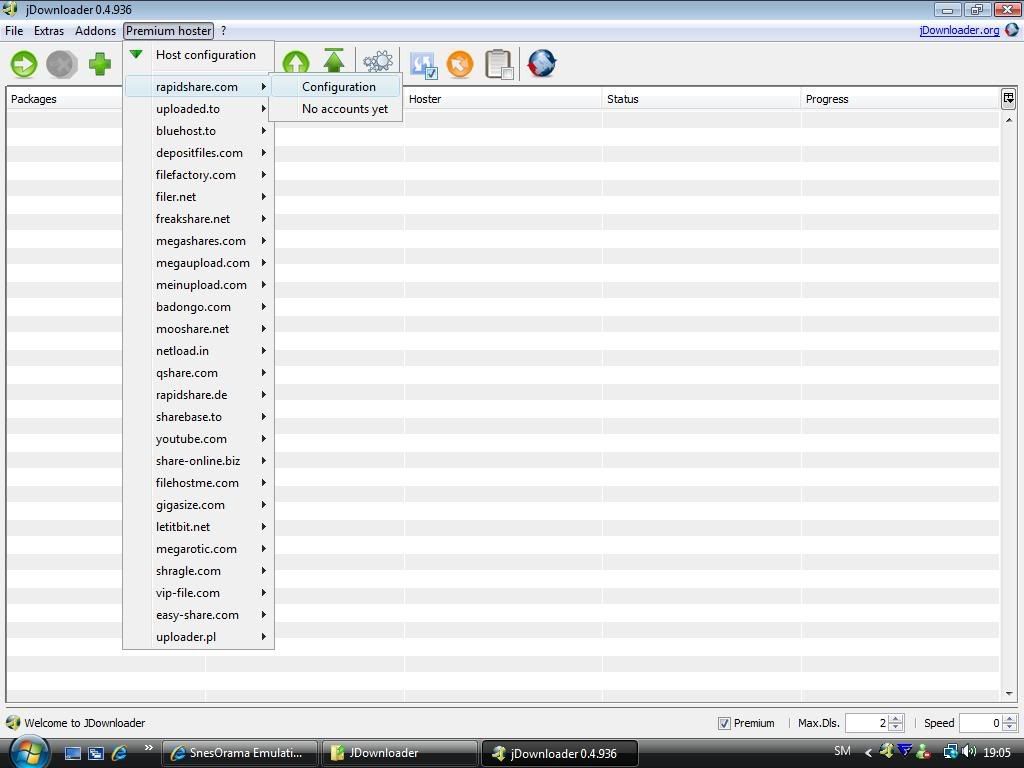
After that click on Premium Hoster In case you have an account
and fill in your details in configuration
Now let's download a game for example I have taken one of my mirrors since I have
part 1
file
part 2
file
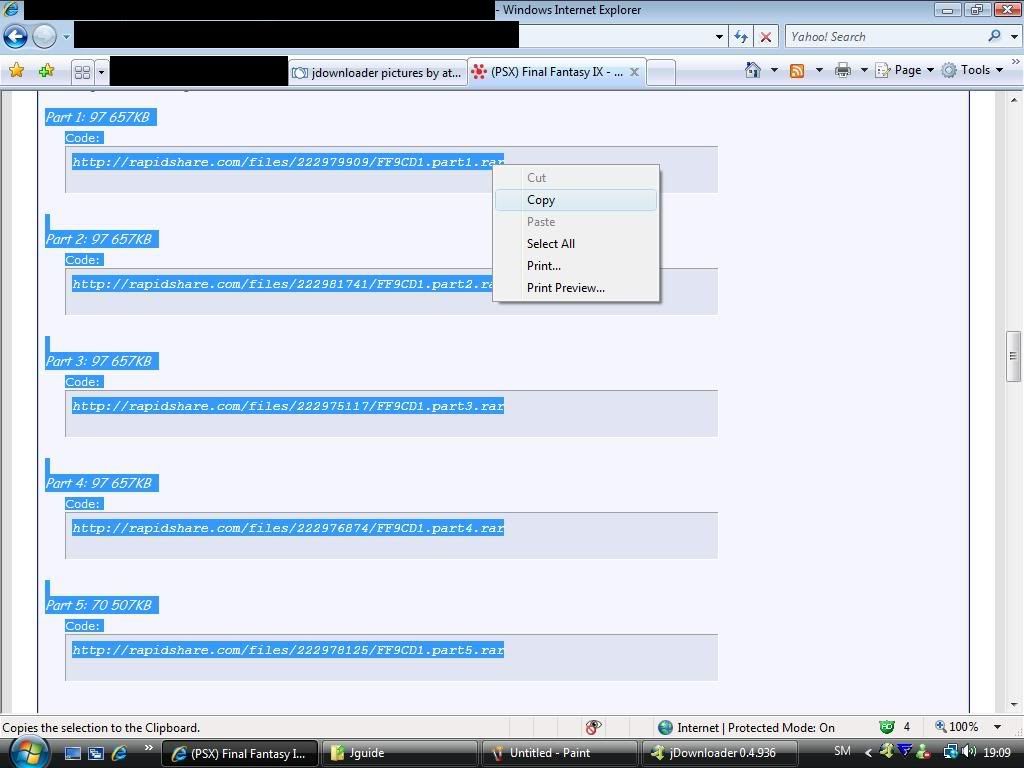
Just to show you that you don't have to paste everything in notepad and then delete part1,part2
Hightlight the files you wan't to download like this, rightclick and choose copy
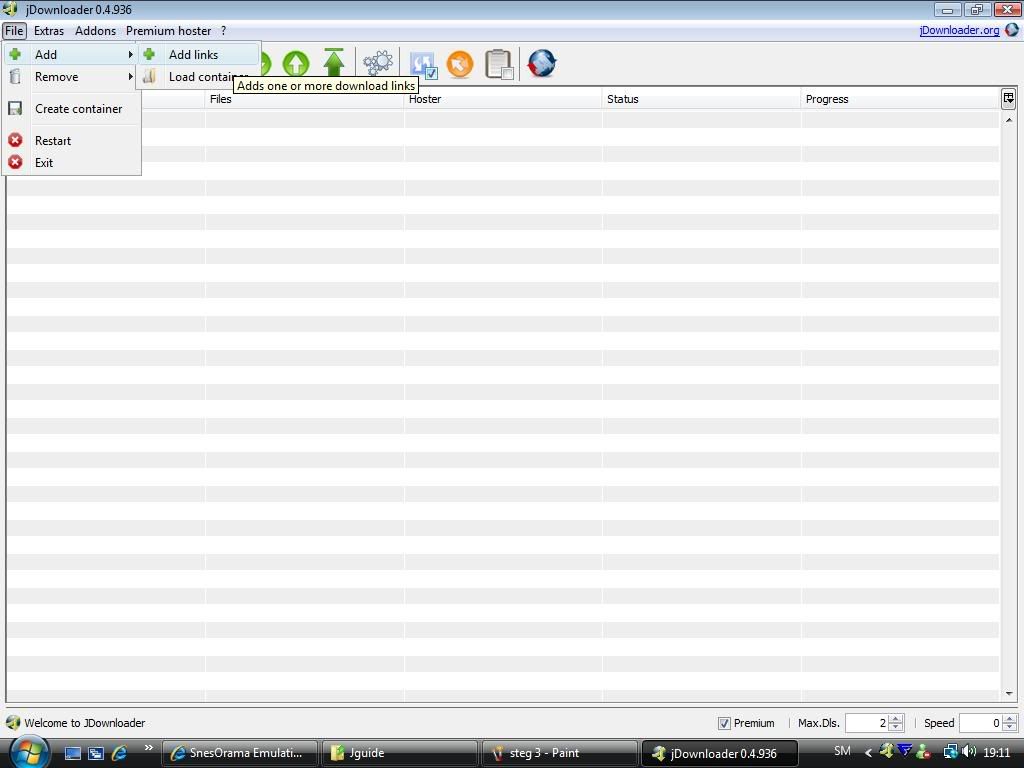
Open up Jdownloder go to
- File
- add
- add links
And it will look like this
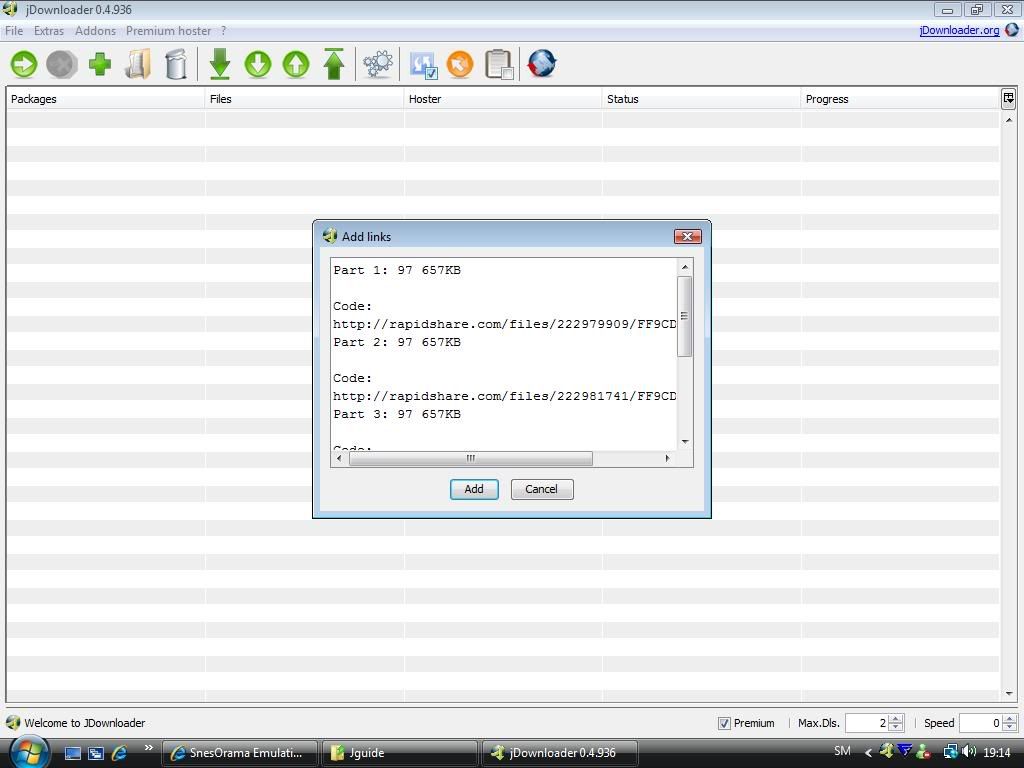
Click on add and you will get this window
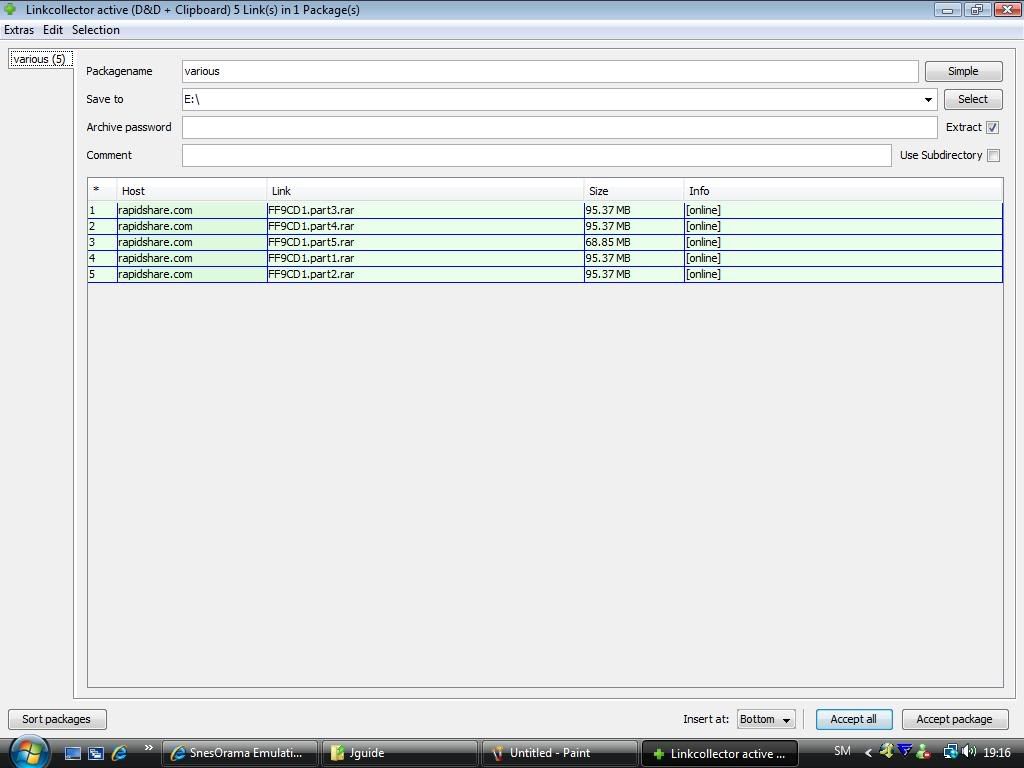
Here you can name the package name where to save the files and if the files has a password in this case the files is Final Fantasy IX CD1 and has the password
Code:http://xxxxxxxxxxxx.xxx
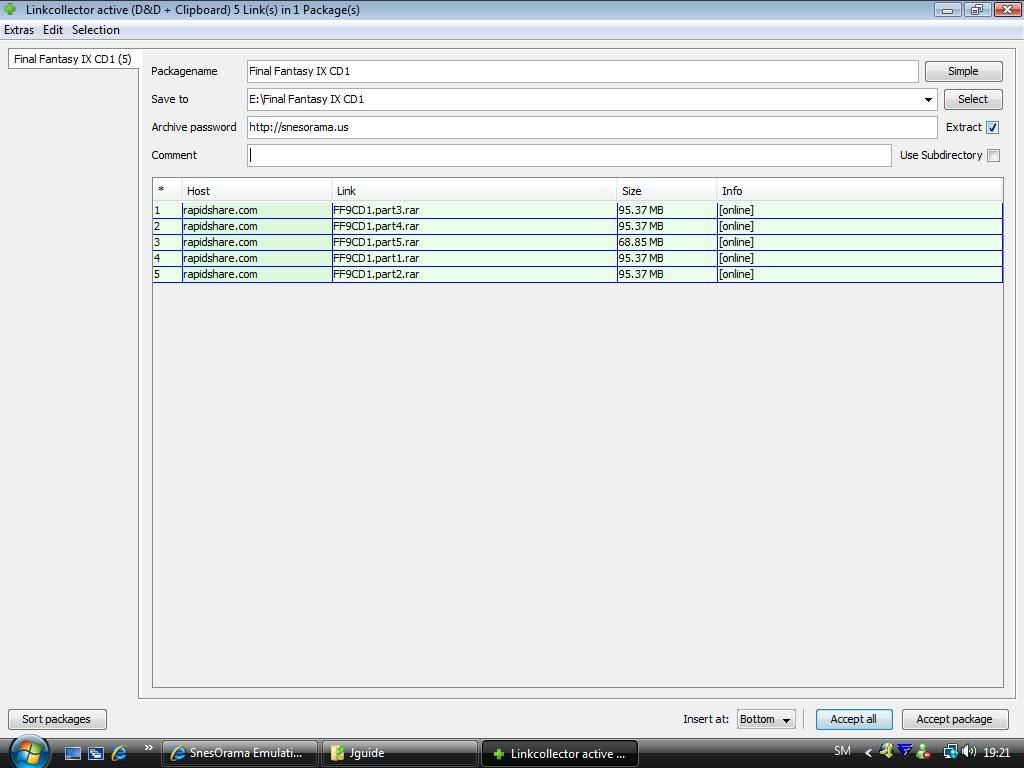
You don't have to type in all this but it will be easier for you to find the files after. And the program estract's the files when the download is complete
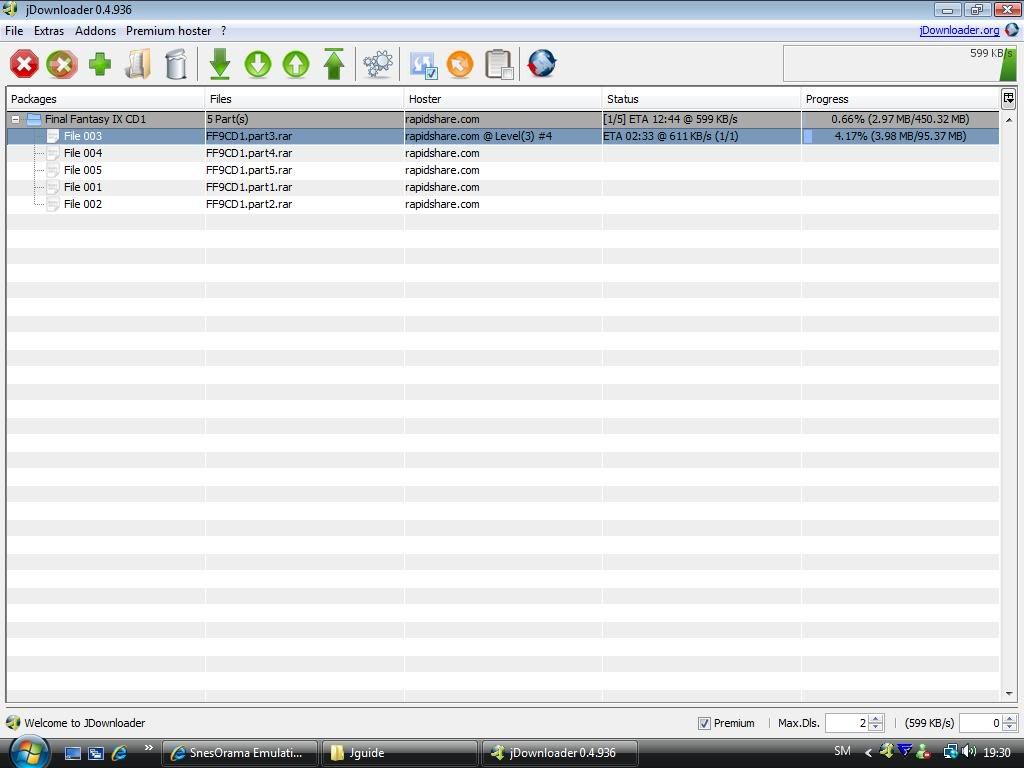
Click on the green arrow you will have to accept the TOC and the program will wait 50 seconds for the ticket
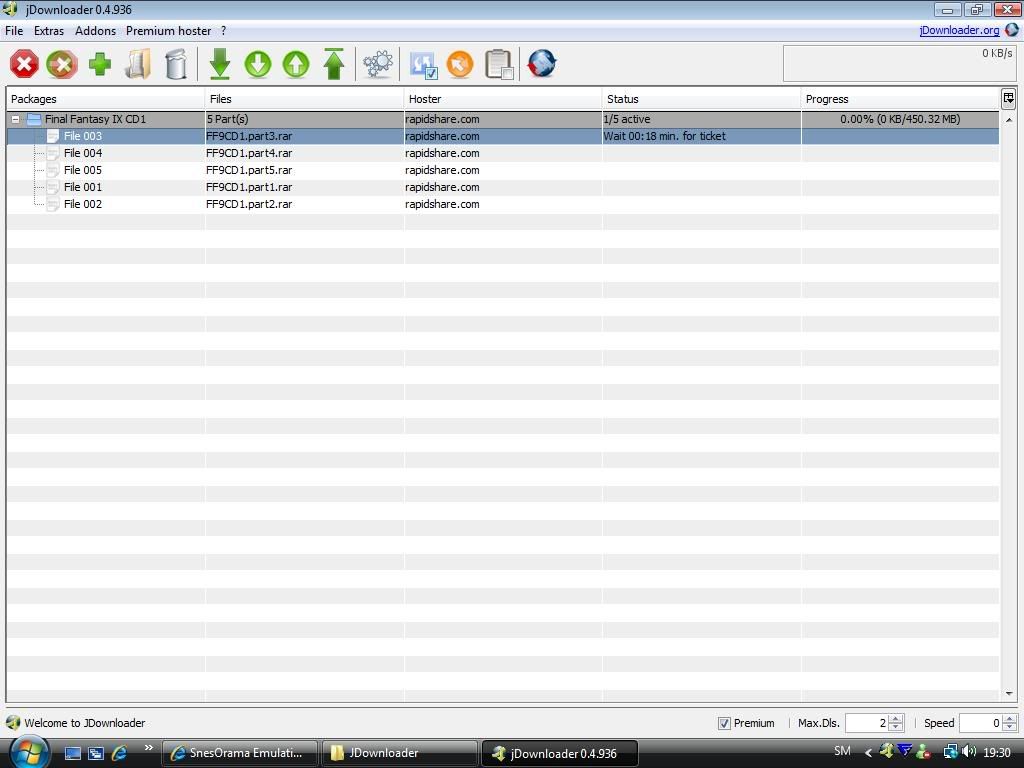
Then the file will start downloading
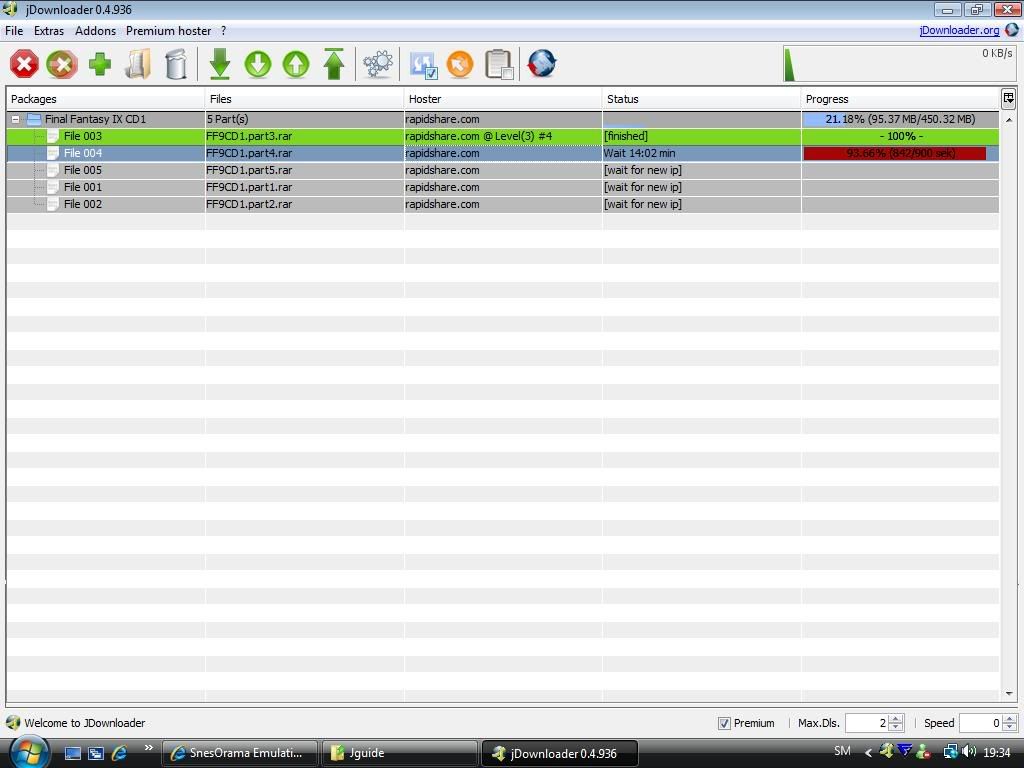
When it's done it will wait 15 minuts
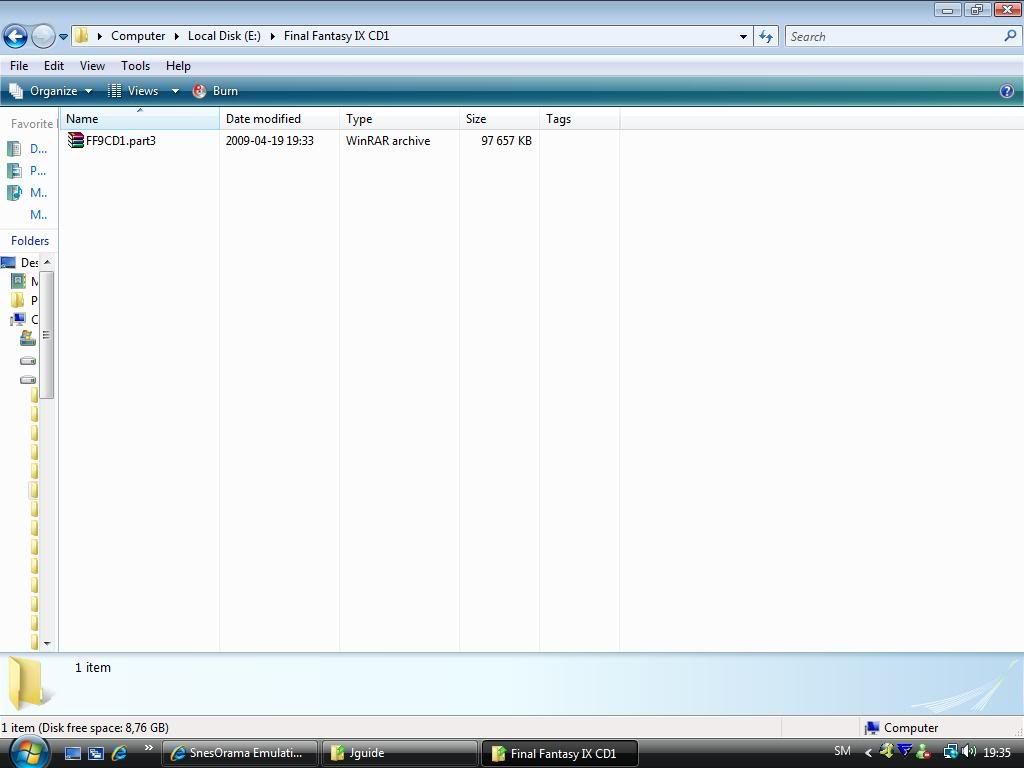
And here is the folder where the files will be saved
For megaupload I would suggest mega manager.
 <3 for me.
Hey member
PM me for report broke link or download was deleted.
› See More: [Share/Guide] JDownloaderLast edited by teentitanbg; 25-11-10 at 02:42 PM.
![[Share/Guide] JDownloader](https://www.mmopro.org/images/usergroup_images/gold.png) teentitanbg
teentitanbg

 Reply With Quote


