


 teentitanbg

How to Moderately Speed Up Your Computer.
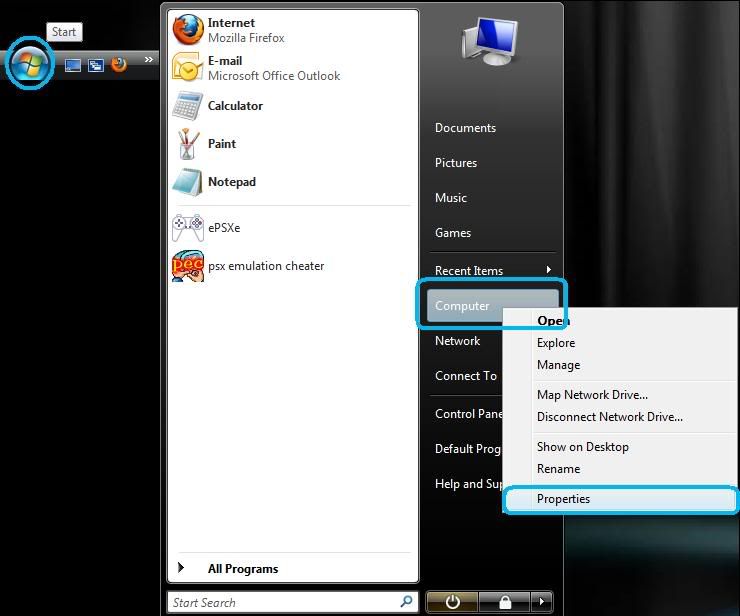
1.)> Go to "Start"->Right click on "My Computer" and select "Properties".
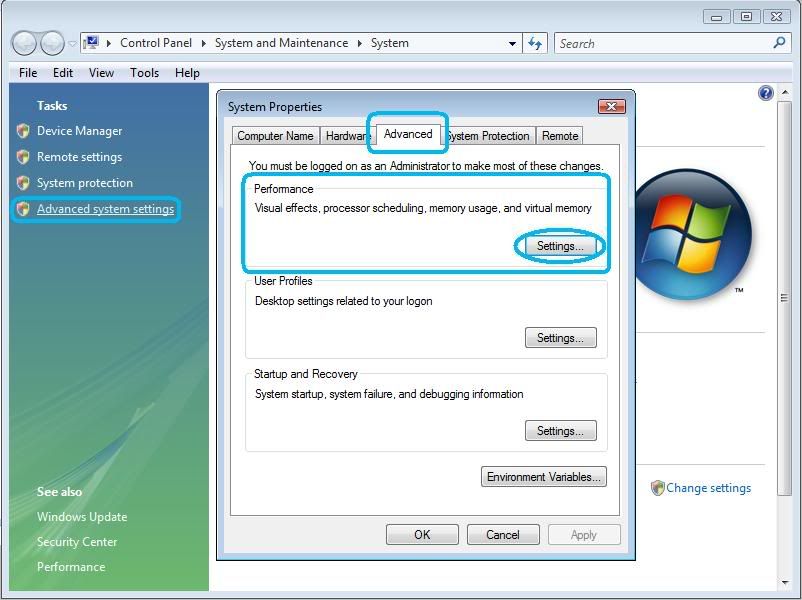
2.)> Click Tasks: "System protection" or "Advanaced system settings"->Click "Advanced"->Click "Settings..."
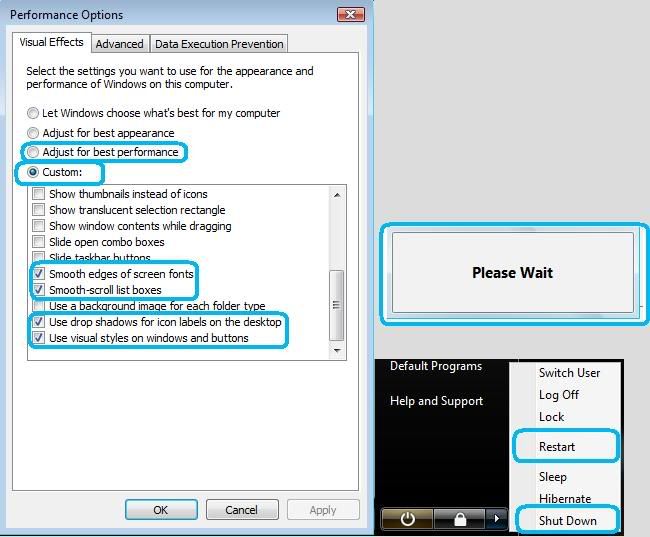
3.)> Click"Visual Effects"->Click "Adjust for best performance" and "Custom:"->Click"Smooth edges of screen fonts", "Smooth-scroll list boxes", "Use drop shadows for icon labels on the desktop"
and "Use visual styles on windows and buttons"
NOTICE: Do not Apply at "Adjust for best performance", next click "Custom:".
4.)> Click"Apply"Wait for few minand click"OK"
5.)> You need restart or shut down computer.
How Moderately speed up computer Video-YouTube
My guide is very old.

 Likes: 0
Results 1 to 1 of 1
Hybrid View
-
26-11-10, 08:20 PM #1Premium




- Join Date
- Aug 2010
- Location
- USA
- Posts
- 94
- Post Thanks / Like

- Rep Power
- 17
- Reputation
- 89
[Guide] How to Moderately Speed Up Your Computer (My old guide).
Last edited by teentitanbg; 26-11-10 at 08:24 PM.


 Reply With Quote
Related Threads - Scroll Down after related threads if you are only interested to view replies for above post/thread

vBulletin Licensed to: MMOPro.org
Bookmarks