


No you load navicat and go to accounts and find realmlist and where the ip is 127.0.0.1 you would change your your IPOriginally Posted by tmindaugast

To make it public
You should check
Go to start button on windows
Go to run or in the serach box type cmd
Now a black command box is up in this box type the command IPCONFIG
look and see what your IP says if its something like 192.168.1.1 you are on a rougher
and you server will not be public unless you login to your rougher and forward ports and set your computers Ip that = to 192.168.1.1 to = to the RealIP address.
you can get your real IP here
myIPaddress.com: What is my IP address? How do I find my IP address?
If you want to try to login to your rougher best luck to you. I have a belkin so if you guys have a bilken I can show you step by step.

 Likes: 0
Results 1 to 10 of 95
Hybrid View
-
25-03-11, 09:37 PM #1Grunt




- Join Date
- Mar 2011
- Posts
- 46
- Post Thanks / Like

- Rep Power
- 15
- Reputation
- 20
-
25-03-11, 10:37 PM #2Beginner


- Join Date
- Mar 2011
- Posts
- 16
- Post Thanks / Like
- Rep Power
- 15
- Reputation
- 1
Hey, I have one other question. I am hooking it up for my friends. I made him his account information(Even with him trying one of the preset GM logins it does the same) and it allows him to log in completely but then it shows a screen like this
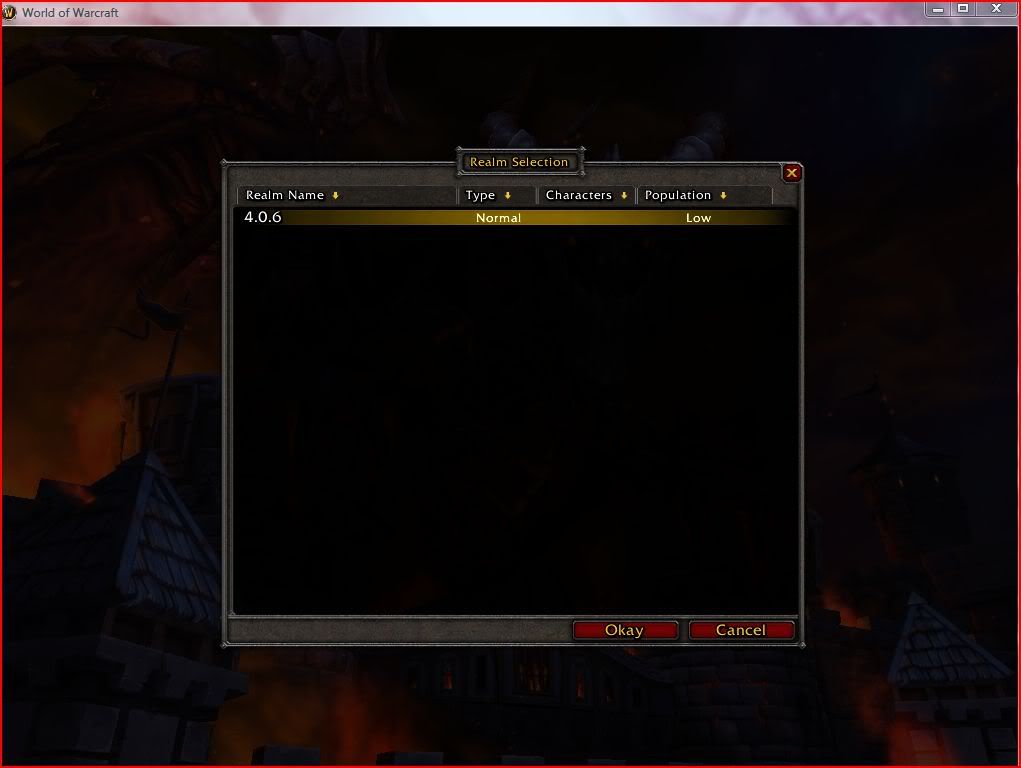 after hitting "Okay" It says "Logging In To Game Server" For about 2 seconds and shuts off and then nothing happens. But the realm works perfectly on my computer. What am I doing wrong? I have tested this on another friends computer to confirm it isn't my other friends computer.


 Reply With Quote
Related Threads - Scroll Down after related threads if you are only interested to view replies for above post/thread

vBulletin Licensed to: MMOPro.org
Bookmarks