


 Likes: 0
Results 1 to 1 of 1
-
16-08-26, 12:51 PM #1Founder


- Join Date
- Jul 2008
- Location
- HeaveN
- Posts
- 15,863
- Post Thanks / Like

- Rep Power
- 10
- Reputation
- 298
 MMOCoin Pay for vBulletin 4.x + | Accept Instant Crypto & Subscriptions (USDC, USDT, MMO)
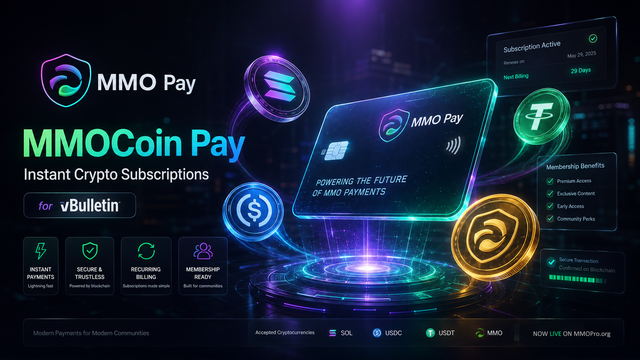
[RELEASE] MMOCoin Pay for vBulletin 4.x , 5.x and 6.x | Accept Instant Crypto & Subscriptions (USDC, USDT, MMO)
Hey everyone! 👋
If you run a gaming community, digital marketplace, or membership forum on vBulletin, you already know the biggest headache with traditional payment gateways like PayPal: chargebacks, frozen funds, high transaction fees, and account limitations.
Today, we are super excited to officially release the MMOCoin Pay Payment Gateway Plugin for vBulletin 4.x! 🎉
This plugin connects your forum directly to MMOCoin Pay (pay.mmocoin.pro), allowing you to accept instant, non-custodial crypto payments and paid subscriptions on the lightning-fast Solana blockchain with ZERO chargebacks and 100% automated VIP upgrades.
And yes! MMOPro itself is running this live right now as the world's first forum to adopt it! 🚀
⚡ Key Features
- Zero Chargebacks, Instant Settlement: Payments settle directly on Solana in seconds. No holding periods, no dispute fraud.
- Multi-Token Support: Accept USDC, USDT, and our native community token MMO.
- 100% Automated Usergroup Upgrades: The moment a member pays with Phantom, Solflare, or any Solana wallet, their VIP/Premium usergroup is instantly activated.
- Automated Expiry Handling: When their subscription period ends (e.g. 30 days), vBulletin's native cron automatically downgrades them back to registered member if they don't renew.
- Dual-Mode Security: Secure on-chain REST API verification + optional cryptographic HMAC-SHA256 webhooks.
- Replay & Duplicate Protection: Built-in transaction idempotency ensures zero double-crediting.
- 2-Minute Setup: No complex configurations or coding needed. Just enter your API key!
🛠️ Quick 3-Step Installation vB4 (MAKE SURE TO READ Readme files and INSTALL files according to your vBulletin version)
Step 1: Upload File
Upload the includedto your forum'sCode:class_mmocoin_pay.php
folder.Code:includes/paymentapi/
Step 2: Import Product XML
In your AdminCP -> Plugins & Products -> Manage Products -> [Add / Import Product] -> Import [ICODE]product-mmocoin_pay.xml[/ICODE].
Step 3: Add Your API Key
1. Grab your free API Key from pay.mmocoin.pro/dashboard/developers.
2. For Webhook secret On pay.mmocoin.pro (Dashboard -> Developers), set the Webhook URL to:Without this, payments cannot be approved -- the gateway refuses to activate a subscription it cannot cryptographically verify.Code:https://yourforum.com/payment_gateway.php?method=mmocoin_pay
2. Go to AdminCP -> Paid Subscriptions -> Payment API Manager -> Edit MMOCoin Pay.
3. Paste your API Key and Webhook Secret in the required fields and click Save!
Note: Ensure your receiving payout wallet has at least ~0.01 SOL to support token account creation.
📥 Download & Links
- Plugin Package: Attached to this thread below ([ICODE]MMOCoin_Pay_vBulletin_4.x_v1.1.0.zip[/ICODE])
- Merchant Portal: https://pay.mmocoin.pro
- Live Demo: Check our forum's Paid Subscriptions Page!
Give it a spin on your forums and let us know your feedback! If you need any help with setup or custom integration, feel free to drop a reply below. 💬
› See More: MMOCoin Pay for vBulletin 4.x + | Accept Instant Crypto & Subscriptions (USDC, USDT, MMO)
 Apple


 Reply With Quote
Related Threads - Scroll Down after related threads if you are only interested to view replies for above post/thread
Tags for this Thread

Posting Permissions
vBulletin Licensed to: MMOPro.org
Bookmarks